
Stockity Support Overview
When using any financial platform, the quality of customer support becomes a crucial part of a safe and comfortable experience. Traders need to feel confident that assistance is always available, whether they are facing a technical issue, need clarification about their account, or simply want guidance on using certain features. For this reason, the support system plays a key role in the overall user experience.
In the article below, we will explore how Stockity’s customer service is structured, which contact channels are available, and what users can expect from the platform’s help center.
Stockity Support

Stockity provides a full suite of support services designed to assist users at every step — from account setup to ongoing platform use. Whether you face technical issues or have questions about your account, Stockity’s support infrastructure aims to deliver prompt and effective help.
With this structure, Stockity aims to ensure reliable assistance for all its users.
Stockity Help Center
The Help Center stands as a comprehensive resource hub for Stockity users — ideal for self-service and quick guidance.
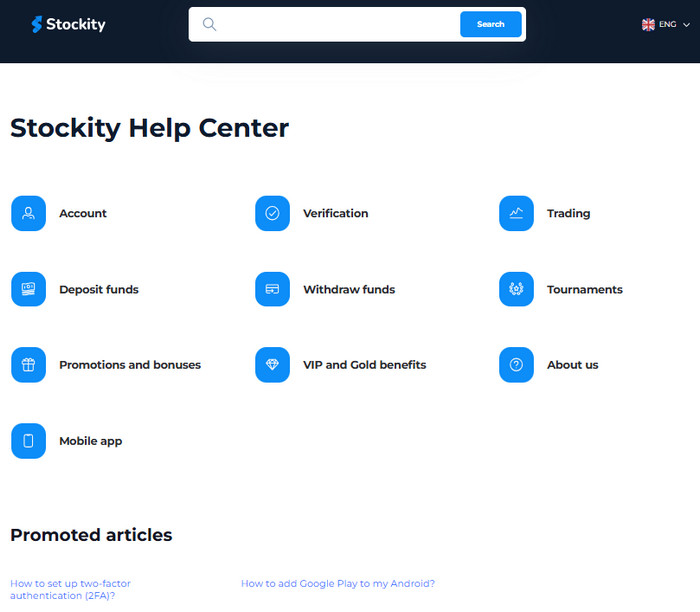
This centralized help repository helps users solve many common concerns themselves — without necessarily contacting support directly.
Contact Stockity
When you need direct assistance beyond self-help, Stockity offers several contact channels:
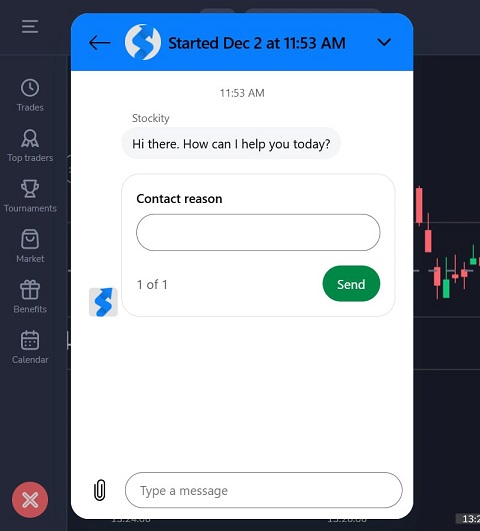
Live Chat
For immediate, real-time help (technical issues, quick questions). Fastest method; response often within minutes.
Support Email
For detailed inquiries—including documents, complaints, account verification, and other complex issues—please use the following address: [email protected]
Include relevant account info for quicker assistance.

FAQ
How do I contact Stockity support?
The quickest path is via live chat on the website. For more structured assistance, send a message to the Stockity support email address.
How can I get the helpline number or contact number for Stockity?
If you wish to be contacted by phone, in some cases a Stockity account manager may call you during business hours, provided you have added your phone number to your profile.
What if I don’t receive a response promptly?
With live chat, responses typically arrive within a few minutes. For email requests, allow up to 24–48 hours — sometimes longer during high demand.
What details should I include when contacting support?
Provide clear information: your account email, transaction ID (if applicable), a description of the issue, and relevant screenshots or error messages. This helps speed up resolution.
Where can I get the WhatsApp number India 24 7 for Stockity support?
Stockity does not have a WhatsApp helpline either. If you need assistance, you can contact their customer support team through the official channels.